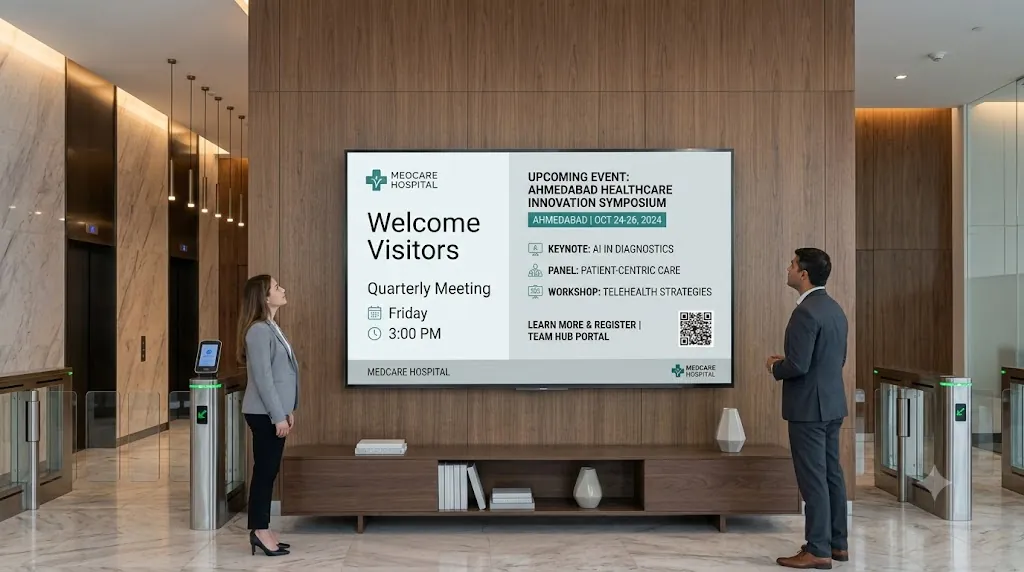
Managing corporate communications across multiple office locations — headquarters, regional hubs, and satellite branches — requires a digital signage platform that is reliable, secure, easy to deploy, and cost-effective.
Traditional enterprise digital signage systems force corporate IT teams to deal with expensive proprietary hardware boxes, complex server setups, and exorbitant per-screen subscription models that penalize growth.
With Loco Digital Signage, multi-office businesses get a modern, flexible display solution. Loco offers transparent per-active-screen pricing while delivering dual media management capabilities: remote cloud content transfer from anywhere in the world combined with offline local network transfer for security-restricted office subnets.
Connecting Multi-Office Displays?
Install Loco on your office Smart TVs and mobile phone. Connect in seconds via QR code and broadcast company updates live from anywhere.
Start Free Trial — No Credit Card NeededWhat Multi-Office Enterprises Require in 2026
Modern corporate communication teams need full visibility and remote control without sacrificing local network security. Here is what multi-office deployments demand:
- Global Remote Publishing: Broadcast announcements to HQ, branch offices, or remote sites instantly.
- Hybrid Media Transfer: Remote cloud updates or offline LAN transfer for security compliance.
- Multi-Screen Branch Grouping: Target specific office floors, regions, or departments.
- Predictable Per-Screen Pricing: Flat billing per active screen without hidden server fees.
- 24/7 Offline Playback Resilience: Automatic media caching ensures screens stay live during internet outages.
- Hardware Flexibility: Runs natively on Apple TV, Android TV, Fire TV, and Google TV.
Transparent Per-Screen Pricing vs. Legacy Enterprise Fees
Most legacy digital signage vendors hide their true costs behind complex tiers, setup fees, and expensive recurring hardware maintenance packages. Adding 20 screens across 4 office branches can quickly balloon into tens of thousands of dollars per year.
Loco Digital Signage operates on a straightforward per-screen pricing structure:
- Free Trial (3 Days): Supports up to 2 active screens with ALL Pro features included — no credit card required. Perfect for testing your first office lobby displays.
- Pro Subscription: Billed at a predictable, transparent flat rate per active display screen. View our full pricing plans.
- No Hardware Lock-In: Install the player app directly on standard smart TVs (Apple TV, Android TV, Fire TV, Google TV) — eliminating external $300–$500 player hardware costs per screen.
Why Corporate Teams Choose Loco Digital Signage
Loco Digital Signage is engineered to streamline multi-office communication without IT headaches.
Enterprise-Grade Features Included in Loco:
- Remote Cloud & Local LAN Modes: Publish over global cloud remote control or restricted local WiFi networks.
- Instant Device Pairing: Link screens in under 10 seconds. Check out our step-by-step pairing guide.
- Multi-Zone Split Screen Layouts: Combine live corporate video loops with real-time text announcements and dashboard metrics.
- Live Order & Token Display System: Perfect for corporate visitor registration, HR desks, and cafeteria queue calling.
- Tailored Industry Solutions: Explore specialized setups in our solutions showcase.
How to Set Up Loco Across Multi-Office Locations
Deploying digital displays across multiple offices takes less than 3 minutes per screen:
Install Apps
Search for Loco Digital Signage Player on your office Smart TVs (Apple TV, Android TV, Fire TV), and download Loco Digital Signage on your phone.
Pair Devices
Open Loco on your TV screen. Scan the on-screen QR Code with your phone camera or enter the 6-digit Connection Code to link instantly.
Publish Live
Upload company announcements, videos, or KPI dashboards in the app and tap publish! Your screens update automatically after publishing.
Popular Multi-Office Use Cases
Follow Loco Signage on Google
Add Loco Signage as a Preferred Source to get our latest guides & tutorials directly in Google Search & AI Overviews.
Try Loco Digital Signage Free Today!
Connect your office screens in minutes and start publishing corporate updates remotely from anywhere. Experience Loco Digital Signage completely free.
Free trial available • No credit card required • Instant QR pairing