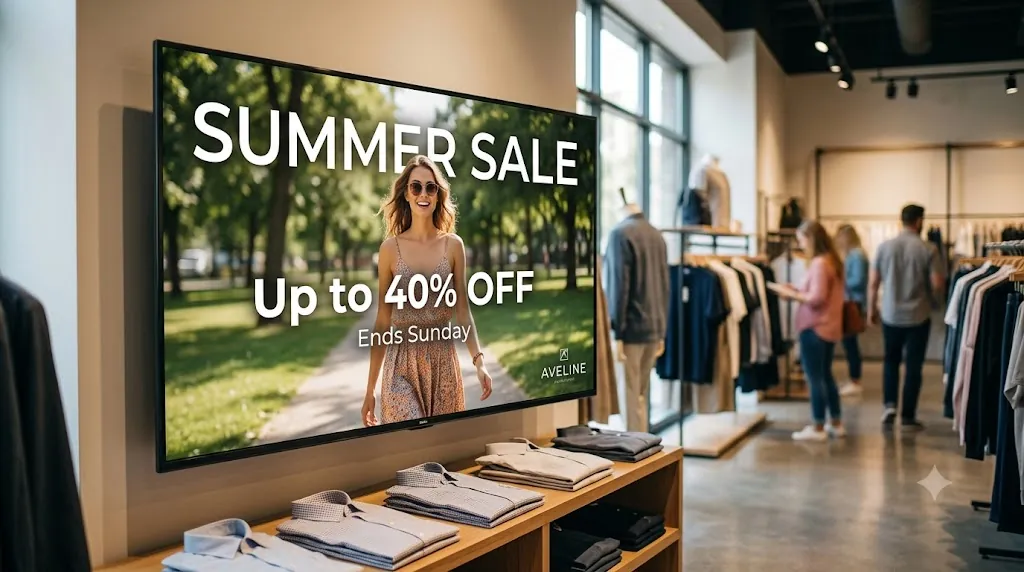
When you have 5, 10, or 50 retail stores, a promotional campaign can't wait for printed posters to be shipped and hung. By the time they arrive, the sale might be over. Retail chains that win are the ones that move fast — and that requires phone-controlled digital screens.
Loco Digital Signage gives retail marketing directors a single app to push promotional content, flash sale banners, new product videos, and seasonal campaigns to every store screen in seconds — without visiting a single store.
Managing Multi-Store Retail Screens?
Install Loco on your retail Smart TVs and phone. Pair via QR code and launch your store displays in 3 minutes.
Start Free Trial — No Credit Card NeededWhy Retail Chains Choose Loco Digital Signage
- Instant Campaign Launches: Push a new seasonal sale, brand campaign, or product launch to every store screen simultaneously from your phone in seconds.
- Large Text Flash Sale Alerts: Use Large Text Display to push bold "SALE ENDS TODAY" or "NEW ARRIVAL" announcements that every shopper can read from across the store.
- 500+ Canva Retail Templates: Design seasonal posters, flash sale banners, new arrival announcements, and loyalty program promotions using the included Canva-ready templates.
- Show URL for Live Promotions: Use Show URL on Screen to display your live ecommerce sale page, product QR code landing page, or loyalty program portal directly on any store TV.
- PDF Price Lists & Catalogs: Upload updated price lists or product catalogs as PDFs directly to store screens — no reprinting, no distribution delays.
- Seasonal Campaign Scheduling: Pre-schedule holiday campaigns, weekend sale graphics, and end-of-season content to launch automatically at the right time.
- Split-Screen Multi-Zone: Show a product video loop on one zone and your order token queue or store hours on the other — simultaneously on the same TV.
- Remote Cloud & Local LAN Modes: Push content remotely or securely over local store WiFi for restricted retail networks.
- 24/7 Offline Playback: Media caches directly on Apple TV, Android TV, Fire TV, or Google TV so screens stay active continuously.
- Transparent Per-Screen Rates: Predictable flat billing per active TV display screen. View our pricing plans.
What Retail Chain Screens Can Display
- Flash sale & promotional banners
- New product arrival showcases
- Seasonal campaign videos
- Loyalty program & membership offers
- PDF price lists and product catalogs
- Brand story and behind-the-scenes videos
- Store hours and policy updates
- Live ecommerce promotions (Show URL)
How to Set Up Multi-Store Retail Displays
Install Apps
Search for Loco Digital Signage Player on your store TVs, and download Loco Digital Signage on your phone.
Pair Devices
Open Loco on your TV. Scan the on-screen QR Code with your phone camera or enter the 6-digit Connection Code to link instantly. View our pairing guide.
Publish Live
Upload promotional videos, sale flyers, or product catalogs in the app and tap publish! Your screens update automatically after publishing.
Explore Retail Signage Guides
Follow Loco Signage on Google
Add Loco Signage as a Preferred Source to get our latest guides & tutorials directly in Google Search & AI Overviews.
Try Loco Digital Signage Free Today!
Set up your multi-store retail TV screens in minutes. Experience Loco Digital Signage completely free.
Free trial available • No credit card required • Instant QR pairing