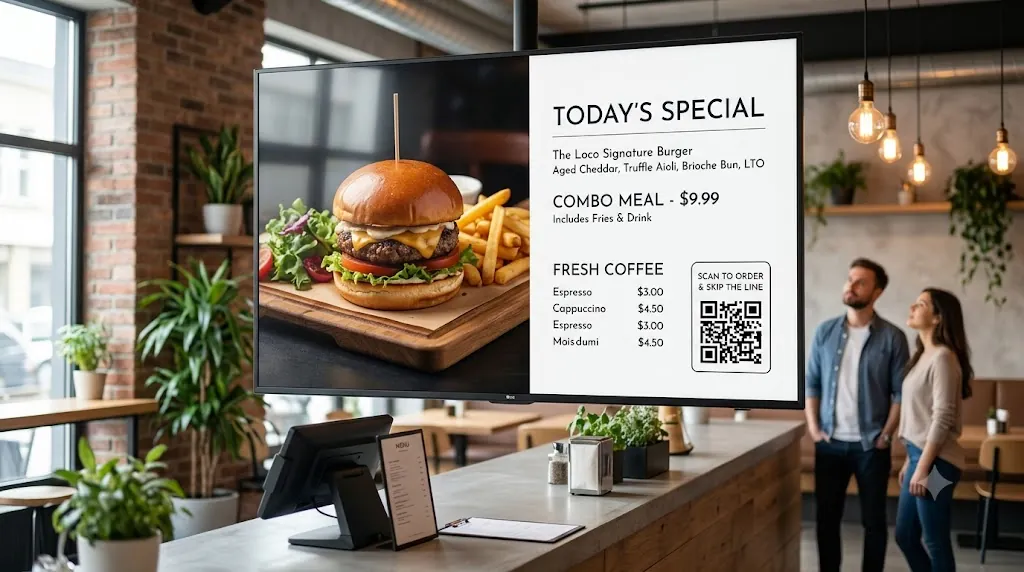
Running 3 branches means 3 menus to update, 3 sets of promo posters to change, and 3 kitchen boards to synchronize — all manually. Most multi-branch restaurant operators waste hours every week on USB drives, WhatsApp instructions to staff, and printed menu reprints. There's a better way.
Loco Digital Signage lets restaurant owners and operations managers update all branch TV menus simultaneously from a single phone app. Upload a new menu image, click publish — every branch screen updates in seconds. No USB drives, no staff calls, no delays.
Managing Multi-Branch Menus?
Install Loco on your restaurant Smart TVs and phone. Pair via QR code and launch your branch menus in 3 minutes.
Start Free Trial — No Credit Card NeededWhy Multi-Branch Restaurants Rely on Loco
- One-Click Branch-Wide Menu Update: Change a menu item, price, or daily special from your phone — all connected branch screens update simultaneously without touching a single TV.
- Upload PDF Menus Directly: Print-ready PDF menus display perfectly on any TV. Great for traditional menu layouts, combo boards, and promotional price cards.
- Show URL for Online Ordering: Use Show URL on Screen to display your live online ordering page, QR code menu, or branch-specific promotional landing page on any restaurant TV.
- 500+ Canva Restaurant Templates: Design daily specials posters, seasonal menu boards, and combo deal graphics in minutes using the included Canva-ready templates.
- Daypart Menu Scheduling: Set breakfast, lunch, and dinner menus to switch automatically at specific times using Loco's Content Scheduling feature. Set once, runs forever.
- Integrated Order Token Queue: Run your customer order number display simultaneously on the same TV screen as your menu using Multi-Zone split screen.
- Remote & Local WiFi Transfer: Push menu updates remotely over the internet or securely over local in-store WiFi networks for restricted locations.
- 24/7 Offline Playback: Media caches directly on Apple TV, Android TV, Fire TV, or Google TV so menu screens stay active even if internet drops during peak hours.
- Predictable Per-Screen Rates: Flat billing per active screen. View our pricing plans.
What Multi-Branch Restaurant TVs Can Display
- PDF or image-based full menu boards
- Daily specials and seasonal promotions
- Live online ordering page (Show URL)
- Combo deals and upsell offers
- Order token queue numbers
- Staff shift schedules (back of house)
- Brand story or chef highlight videos
- Canva-designed seasonal menu posters
How to Set Up Loco Across Multi-Branch Menus
Install Apps
Search for Loco Digital Signage Player on your restaurant TVs, and download Loco Digital Signage on your phone.
Pair Devices
Open Loco on your TV. Scan the on-screen QR Code with your phone camera or enter the 6-digit Connection Code to link instantly. View our pairing guide.
Publish Live
Upload your menu images, promo videos, or order tokens in the app and tap publish! Your screens update automatically after publishing.
Related Restaurant Signage Guides
Follow Loco Signage on Google
Add Loco Signage as a Preferred Source to get our latest guides & tutorials directly in Google Search & AI Overviews.
Try Loco Digital Signage Free Today!
Set up your restaurant branch TV menu screens in minutes. Experience Loco Digital Signage completely free.
Free trial available • No credit card required • Instant QR pairing