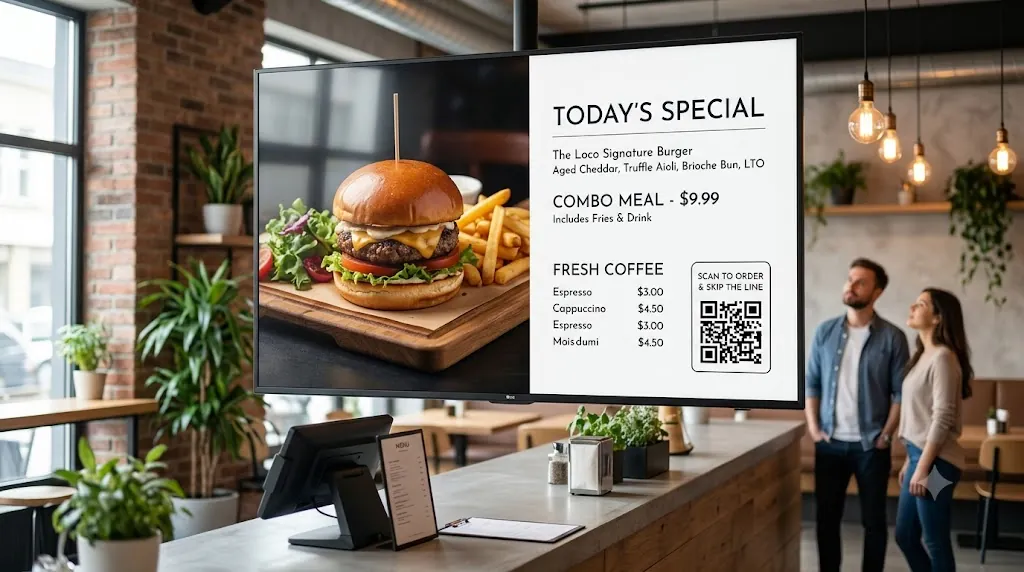
For multi-unit QSR (Quick Service Restaurant) operators and franchise managers, keeping menu prices, nutritional info, and promotional combos in sync across locations is a major operational challenge.
With Loco Digital Signage, restaurant chains get enterprise-level control: remote cloud updates across all branch TVs, automated daypart scheduling (breakfast, lunch, dinner), and real-time order token queue displays.
Managing Restaurant Chain Screens?
Install Loco on your restaurant Smart TVs and phone. Pair via QR code and launch your chain's digital menus in 3 minutes.
Start Free Trial — No Credit Card NeededKey Features for Multi-Unit Restaurant Chains
- Remote Menu Updates: Change price points, out-of-stock items, or promos across all branch screens from anywhere in the world — instantly.
- Display PDF Menu Boards: Upload high-quality PDF menus directly to your TV — perfect for traditional print-ready menu layouts with no quality loss.
- Show URL for Live Digital Menus: Use the Show URL on Screen feature to display your live online menu page, ordering portal, or promotional landing page on any restaurant TV.
- 500+ Canva Restaurant Templates: Design stunning menu boards, promo posters, and daily specials in minutes using the included Canva-ready templates.
- Automated Dayparting: Automatically switch from breakfast menus to lunch and dinner menus at scheduled times using the Content Scheduling feature.
- Integrated Order & Token Queues: Display real-time order numbers on a dedicated queue screen alongside your promotional video loops using Multi-Zone split screen.
- On-Device Offline Playback: Media caches directly on Apple TV, Android TV, Fire TV, or Google TV so menu screens stay active during WiFi outages.
- Predictable Per-Screen Rates: Flat billing per active screen. View our pricing plans.
How to Deploy Loco Across Restaurant Chains
Install Apps
Search for Loco Digital Signage Player on your restaurant TVs, and download Loco Digital Signage on your phone.
Pair Devices
Open Loco on your TV. Scan the on-screen QR Code with your phone camera or enter the 6-digit Connection Code to link instantly. View our pairing guide.
Publish Live
Upload your menu images, promo videos, or order tokens in the app and tap publish! Your screens update automatically after publishing.
Related Restaurant Signage Guides
Follow Loco Signage on Google
Add Loco Signage as a Preferred Source to get our latest guides & tutorials directly in Google Search & AI Overviews.
Try Loco Digital Signage Free Today!
Set up your restaurant chain TV menu screens in minutes. Experience Loco Digital Signage completely free.
Free trial available • No credit card required • Instant QR pairing